If your business uses Microsoft 365, you have probably seen the Copilot button appear in Outlook, Word and Teams. The question then is whether to pay for more, and what you actually get for the money.
The short answer is that you probably already have a free version of Copilot, and that the paid licence only makes sense once your email, files and meetings live together in Microsoft 365 and the access rights have been cleaned up. Here I go through the prices, which licence you need, what the difference is, and how to do the maths yourself. I quote Microsoft's US list prices in dollars, because Microsoft's prices differ from country to country, and I add the Danish prices in kroner for readers who buy in Denmark. All prices and facts come from Microsoft's own pages and are linked in the text.
In short
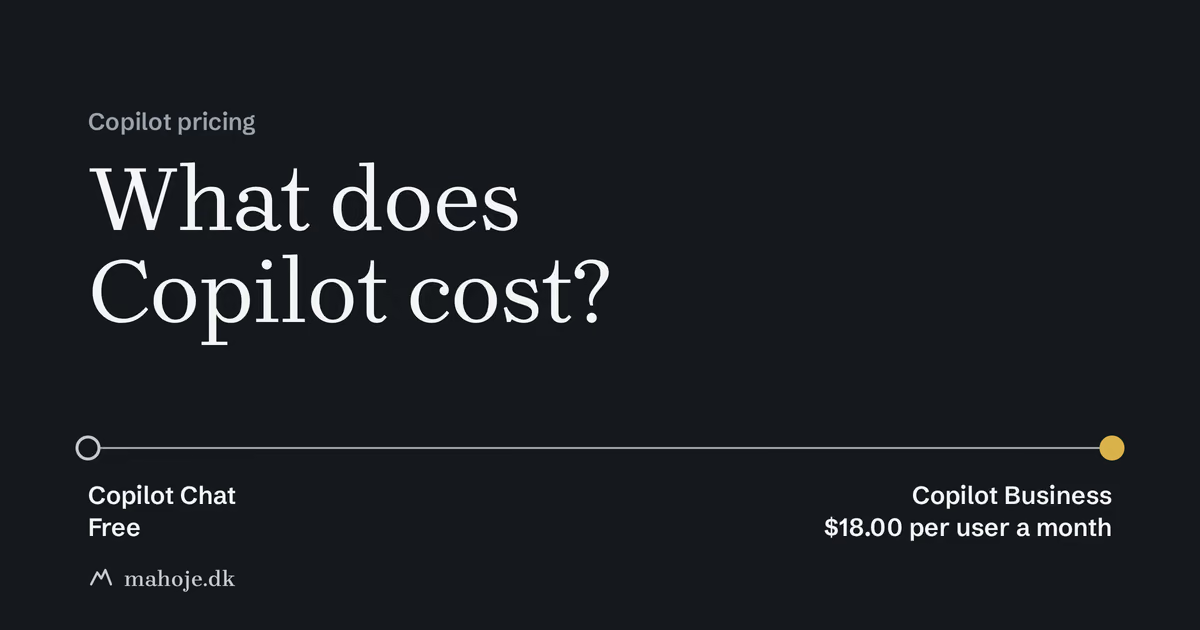
- Copilot Chat is free with most Microsoft 365 work subscriptions. It answers from the web and from what you give it yourself (Microsoft Learn).
- Copilot Business costs $18.00 per user per month on Microsoft's US pricing page, paid yearly, as of 2 October 2026. That is a promotional price until 31 December 2026. The regular price is $21.00 (Microsoft).
- The licence requires a Business subscription to begin with, such as Business Basic, Standard or Premium, and the Business plans are for up to 300 users (Microsoft).
- What you pay for is access to your own data. With the licence, Copilot can find its own way through the email, files, meetings and chats the user has access to (Microsoft Learn).
- Clean up access rights first. Copilot shows everything the user is allowed to see, including what has been shared too widely by mistake (Microsoft Learn).
- Start with a few licences. They are assigned per user, so you can test with two or three people.
First: Copilot is several things
Microsoft uses the name Copilot for many products, and that makes it hard to know what you have and what you are missing. On top of that, Microsoft recently renamed Microsoft 365 Copilot to Microsoft Copilot. Microsoft itself says that licences and features may use the old name during a transition period (Microsoft Learn). The pricing page still uses the name Microsoft 365 Copilot Business, so I do too.
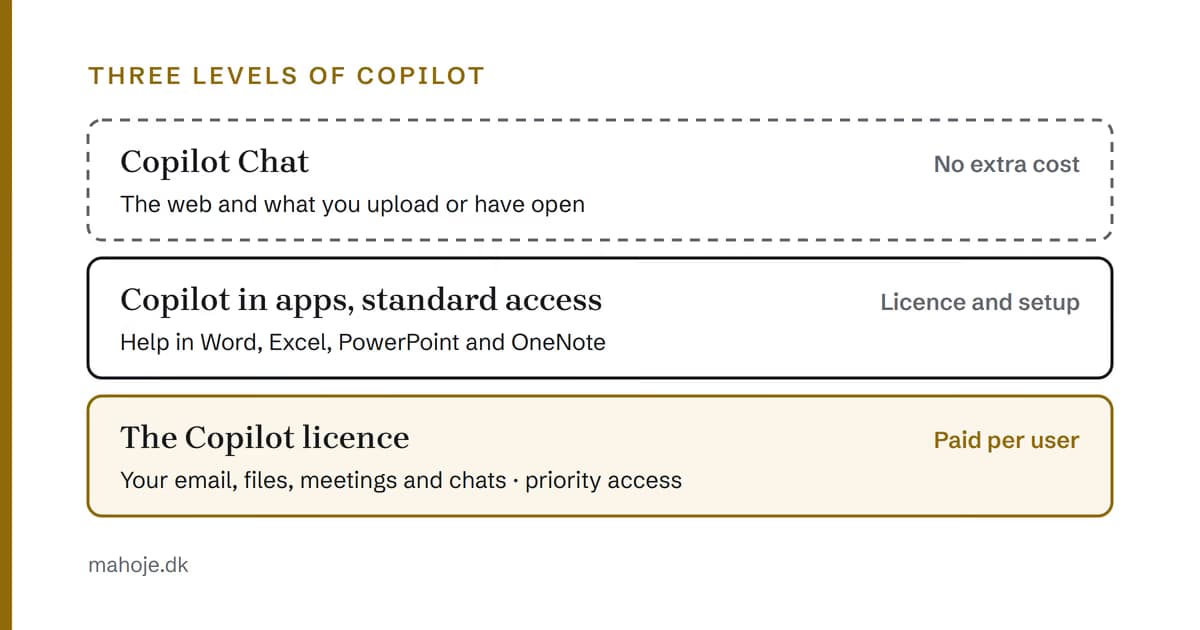
For a business with work accounts in Microsoft 365, there are three levels that Microsoft itself distinguishes between (Microsoft Learn):
Copilot Chat (Basic). An AI chat included with eligible Microsoft 365 licences. It mainly answers from the web. If you want it to work with your own content, you have to paste the text, upload the file, or use it in Outlook or Teams with something open. It doesn't have access to Copilot inside Word, Excel, PowerPoint and OneNote.
Microsoft 365 Copilot (Basic). Users without the add-on licence who still have what Microsoft calls standard access to Copilot in Word, Excel, PowerPoint and OneNote. Standard access depends on Microsoft's capacity and may vary during the day. Whether your users have it depends, according to Microsoft, on licence and setup.
Microsoft 365 Copilot (Premium). This is the paid add-on. It gives priority access and, most importantly, answers that automatically draw on your organisation's data: email, files, meetings, calendars and chats via Microsoft Graph and what Microsoft calls Work IQ.
Microsoft Graph is the part of Microsoft 365 that knows how your email, documents, meetings and people are connected. That access is what you pay for. Without it, Copilot is a capable chat that knows nothing about your business until you tell it.
What does Copilot cost?
These are the prices Microsoft shows on its US pricing pages for Copilot for business. All are per user per month, excluding tax, and they were read on 2 October 2026 (Microsoft, Microsoft).
| Plan | Paid yearly | Paid monthly |
|---|---|---|
| Copilot Business as an add-on | $18.00 (regular $21.00) | $25.20 |
| Business Standard with Copilot | $23.50 | $28.20 |
| Business Premium with Copilot | $32.00 | $38.40 |
| Business Standard with Copilot (no Teams) | $20.30 | $24.36 |
| Business Premium with Copilot (no Teams) | $28.80 | $34.56 |
Three things are worth knowing about the table:
The discount is time-limited. Microsoft says the discount on the add-on applies from 1 July to 31 December 2026, that it applies only to existing Microsoft 365 customers with an eligible Business plan, and that the promotional price applies to the first year only (Microsoft). If you buy after New Year, expect to pay the regular price unless Microsoft extends the offer.
Annual billing renews automatically. The pricing page says annual subscriptions renew automatically and are subject to recurring annual billing (Microsoft). The monthly price is higher, but it doesn't tie you in the same way. Check the terms before you buy, especially if you buy through a reseller.
The bundles are the total prices. If you don't have Microsoft 365 Business today, or are switching plans anyway, Microsoft shows bundles with both Microsoft 365 and Copilot. The no-Teams plans are the versions without Teams.
Buying in Denmark. Prices differ by country, so check the pricing page for yours. On Microsoft's Danish pricing page, the Copilot Business add-on costs DKK 116.40 per user per month paid yearly (a promotional price; regular DKK 135.80) and DKK 162.96 paid monthly, excl. VAT, as of 2 October 2026 (Microsoft). The Danish page lists the versions without Teams as EEA plans.
For comparison, the large version for organisations with more than 300 users costs $30 per user per month with an annual commitment on Microsoft's US site (Microsoft). It is rarely relevant for a small business.
Which licence do you need first?
Copilot Business is an add-on. Microsoft says it can be added on top of these plans (Microsoft Learn):
- Microsoft 365 Business Premium
- Microsoft 365 Business Standard
- Microsoft 365 Business Basic
- Microsoft 365 Apps for Business
- Microsoft Teams Essentials
The Business plans are for up to 300 users (Microsoft). If you have more, it is the large Copilot licence and the Enterprise plans that apply.
If you are unsure what you have, sign in to the Microsoft 365 admin center and look under Billing. If you bought through a reseller, the plan is also on the invoice.
What can paid Copilot do day to day?
Microsoft describes the features in the individual apps like this (Microsoft Learn):
- Word: draft, rewrite and summarise documents.
- Excel: analyse data, find patterns and create formulas and charts.
- PowerPoint: create presentations from a description or an existing document.
- Outlook: draft emails, summarise long threads and suggest tone and clarity.
- Teams: summarise and transcribe meetings and gather the agreed tasks.
Many of these features also exist with standard access, if your licence and setup provide it. The difference with the paid licence is that Copilot can fetch the context itself. You can ask it to gather what has been agreed with a particular customer across email, meetings and documents, without having to find the files first. The licence also comes with priority access, so answers don't slow down when Microsoft is busy (Microsoft Learn).
In return, it requires things to actually live in Microsoft 365. If your files are in Google Drive or Dropbox, or customer conversations happen in another system, Copilot has little to work with.
Data and security: what you need to know
The first question many people ask about Copilot is whether Microsoft uses the company's data to train AI. Microsoft states in its documentation that prompts, responses and data accessed through Microsoft Graph are not used to train the foundation language models (Microsoft Learn). The same page says Copilot is an EU Data Boundary service for customers in the EU, so traffic from the EU stays within the EU. There is one exception: models from Anthropic, which Microsoft also offers in Copilot, are for now excluded from the EU Data Boundary (Microsoft Learn). That is worth knowing before you switch them on.
The risk that is easiest to overlook is a different one. Copilot only shows what the individual user has access to. Microsoft itself says it is important to use the access controls in, for example, SharePoint, so the right people have access to the right content (Microsoft Learn).
That sounds reassuring, and it is, if the access rights are in order. But imagine a folder of payslips or a spreadsheet of purchase prices that was once shared with the whole organisation because it was easiest. Before Copilot it was hard to find. With Copilot it is one question away. So review sharing in SharePoint, OneDrive and Teams before you assign the licences. It isn't exciting work, but it is the most important step.
Do the maths yourself
I have no figures for how much time Copilot saves in your particular business, and I won't make them up. But you can work out for yourself what it needs to save to pay for itself.
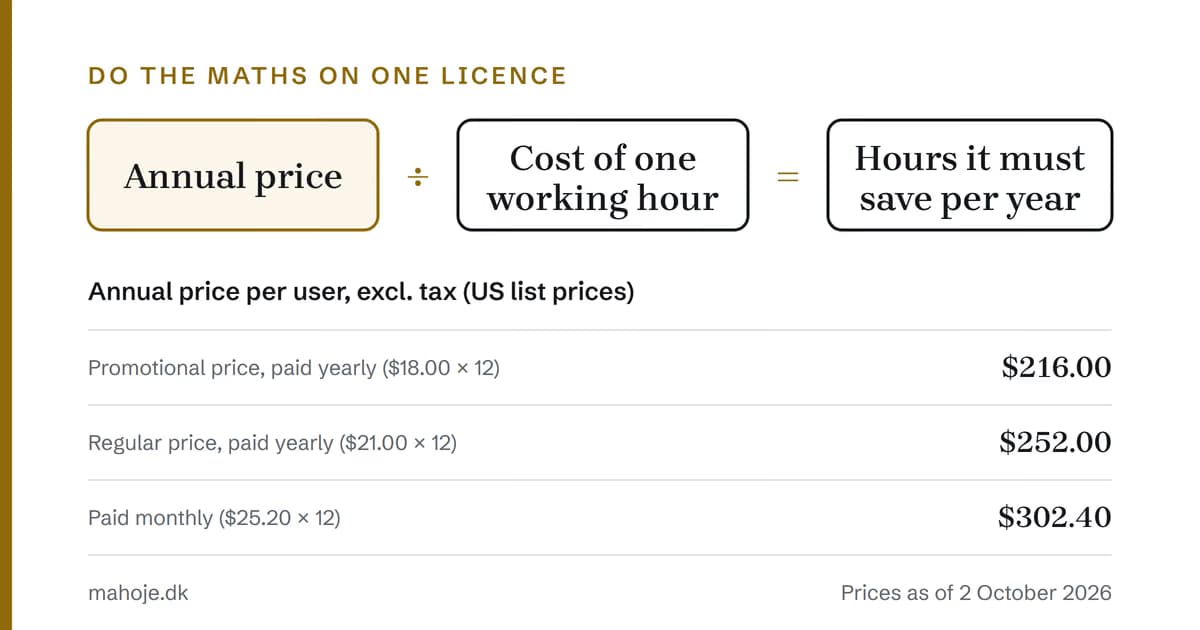
The annual price of one licence is the monthly price times 12 (US list prices):
- Promotional price, paid yearly: $18.00 × 12 = $216.00 excl. tax.
- Regular price, paid yearly: $21.00 × 12 = $252.00 excl. tax.
- Paid monthly: $25.20 × 12 = $302.40 excl. tax.
Divide the annual price by what one working hour costs the business. That gives you the number of hours per year the licence must save per user.
A worked example where you put in your own numbers: if a working hour costs the business $50, the licence at the regular price must save just over 5 hours a year per user ($252.00 / $50 = 5.04). In Danish kroner the logic is the same: at DKK 500 per hour, the Danish regular price (DKK 135.80 × 12 = DKK 1,629.60) must save just over 3 hours a year. That isn't much. So the price is rarely what decides the matter. What decides it is whether the employee actually uses the tool, and whether your data is where Copilot can find it.
When doesn't it pay off?
I would hold off on the licence in these situations:
- Your data lives elsewhere. If you use Google Workspace, or customers and cases live in an industry-specific system, Copilot gets very little out of the licence.
- Access rights haven't been cleaned up. Then you risk Copilot showing people something they shouldn't see. Clean up first.
- Nobody has a concrete task for it. A licence that isn't used is just an expense. The free Copilot Chat is a fine place to find out whether people take to AI at all.
- The task is a process, not a person. If something needs to happen automatically, such as an enquiry being sorted and passed on, it is often an automation rather than a chat that is needed. I have written about what you can automate with AI, and what it costs.
How to test with a few licences
The licence is assigned per user, so you don't need to buy one for everyone. This is how I would do it in a small business:
- Let everyone use Copilot Chat first. It is included, and it quickly shows who gets something out of working with AI.
- Clean up sharing and access rights in SharePoint, OneDrive and Teams.
- Buy two or three licences for the people who spend the most time in email, meetings and documents. Choose monthly billing if you want to be able to stop quickly. It costs more per month, but ties you in less.
- Give each person two or three fixed tasks for a month, such as meeting notes, replies to customer emails and a weekly overview of a case.
- Look at the usage. Microsoft has a usage report in the admin center that shows how Copilot is used in Word, Excel, Outlook and Teams (Microsoft Learn). Also ask people directly what they would miss.
- Decide based on what you have seen whether more people should get the licence, whether to stop, or whether the money is better spent on an automation.
Where I come in
You can handle the purchase itself in an afternoon. What takes time is everything around it: cleaning up access and sharing, deciding which data Copilot may use, finding the tasks where it makes sense, and judging whether an automation would be better than one more licence.
That is the kind of work I do as a technical partner for smaller businesses: web, operations, security and AI with one person for DKK 15,000 per month excl. VAT. If you only need an overview of what AI can be used for in your business, I have written about what an AI consultant costs, and what you get. And if you just want to hear whether Copilot is the right place to start, you can write to me.
Frequently asked questions
What does Microsoft 365 Copilot cost for a small business?
As of 2 October 2026, the Microsoft 365 Copilot Business add-on costs $18.00 per user per month on Microsoft's US pricing page, paid yearly. That is a promotional price that applies from 1 July to 31 December 2026, and the regular price is $21.00. Paid month by month, the price is $25.20. In Denmark the same add-on is listed at DKK 116.40 (regular DKK 135.80) excl. VAT. It requires the user to already have a Microsoft 365 Business subscription.
Is Copilot free in Microsoft 365?
Copilot Chat is included with most Microsoft 365 work subscriptions at no extra cost. It mainly answers from the web and from the files you upload yourself or have open. It is the licence that gives Copilot access to search across your email, files, meetings and chats on its own.
Which Microsoft 365 licence do you need to buy Copilot Business?
According to Microsoft, Copilot Business can be added on top of Microsoft 365 Business Premium, Business Standard, Business Basic, Microsoft 365 Apps for Business and Microsoft Teams Essentials. The Business plans are for organisations with up to 300 users.
Does Microsoft use our data to train Copilot?
Microsoft states that prompts, responses and data accessed through Microsoft Graph are not used to train the foundation language models. For users in the EU, traffic stays within the EU Data Boundary, but models from Anthropic are excluded from it for now.
Does every employee need a Copilot licence?
No. The licence is assigned per user, so you can start with two or three people who work a lot in email, documents and meetings. Let the rest use the free Copilot Chat, and only expand once you have seen what the licence is used for.
Why can Copilot see documents the employee shouldn't see?
Copilot only shows what the user already has access to. If a folder in SharePoint or Teams has been shared with the whole organisation by mistake, Copilot can find it. So clean up sharing and access rights before the licences are assigned.
Sources
All sources were read on 2 October 2026. Prices can change, so check Microsoft's pricing page before you buy.
- Microsoft: Microsoft 365 Copilot plans and pricing (US): microsoft.com
- Microsoft: Microsoft 365 Copilot Business (US): microsoft.com
- Microsoft: Microsoft 365 Copilot plans and pricing (Denmark): microsoft.com
- Microsoft: Microsoft 365 Copilot for enterprise (US): microsoft.com
- Microsoft Learn: License options for Microsoft Copilot: learn.microsoft.com
- Microsoft Learn: What is Microsoft Copilot?: learn.microsoft.com
- Microsoft Learn: Overview of Microsoft Copilot Chat: learn.microsoft.com
- Microsoft Learn: Data, privacy and security for Microsoft Copilot: learn.microsoft.com