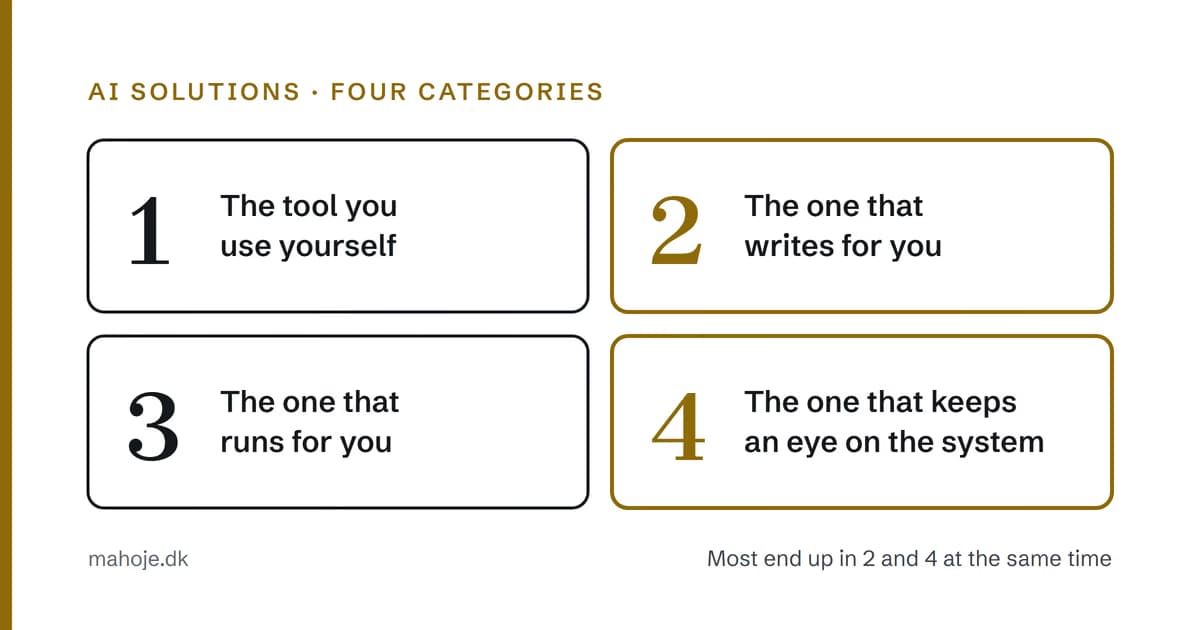
What AI solutions are there? The four categories worth paying for
"What AI solutions are there?" is the best question you can ask, and it is the question the market has the worst answer to.
Because what you get back is a list. A list of hundreds of tools, sorted by whether they have a free trial. But that isn't the question you are really asking. What you are really asking is: what changes in my day-to-day work, and is it worth it?
So this article isn't a list. It is the four categories that every AI solution for a small business really falls into — and what each of them delivers, costs and fails at.
Category 1: The tool you use yourself
This is the one you know. An assistant you write to, and which answers. It is used to write text, explain code, summarise meetings and produce drafts.
This category is the most widespread, and it is the one that causes the least trouble. It requires no setup, no access to your systems and no agreement with a supplier.
It is also the category where most businesses stop.
Because the tool solves tasks, but it solves them one at a time. An assistant that helps you write a quote makes you faster at writing quotes. It doesn't send the quote, it doesn't follow up, it doesn't check whether the money came in, and it doesn't know that you have made the same mistake four times.
If your day consists of writing work, this category is the right one, and it costs nothing to try.
If your day consists of things that have to happen, you are on your way to category 3.
Category 2: The one that writes for you
One step up from category 1: the tool gets access to your code, your files or your content, and it produces something that gets published or put live.
Here you move beyond the limits of the assistant, and this is where it starts to get interesting. Because this is also where it starts to get expensive.
An assistant that suggests a change to your code is cheap. An assistant that writes a change directly into your live source, and that you have set up to do it again tomorrow, comes with a number of strings attached:
- Access. To what, exactly? A folder, a server, a CMS, a database.
- Quality control. What is checked, and who checks it?
- Rollback. What happens when it writes something wrong?
Those three questions aren't details. They are the difference between a solution that saves you time and one that costs you a weekend.
And most suppliers in this category answer the first two and stay silent on the third.
Category 3: The one that runs for you
An agent or an automation that doesn't ask you what to do, but does it: reads an incoming email, finds the missing information in your ERP system, writes the reply and updates your task.
This is the category that takes up most space in the market right now, because it is the one that sounds most revolutionary. And it is the one I have found hardest to sell.
Not because it doesn't work. It works. But because it requires you to have something to automate across.
An agent that handles incoming email requires your ERP system to be able to talk to the agent. It requires someone to have access to both systems. It requires an agreement about what happens when the agent gets it wrong — because an error in a system that writes back isn't an error you can just delete.
Most of the small businesses I meet don't lack an agent. They lack the two things that should be in place before the agent: a stable operational base, and someone who knows what the systems actually do.
It isn't a popular conclusion. But it is the one that holds.
Category 4: The one that keeps an eye on the system
Monitoring, operations, security, backups, and the work that happens when you're not looking.
This category is the most underrated of the four, because it doesn't produce anything visible. No email goes out, there is no demo, and it never gets a mention in a LinkedIn post.
But it is the one that protects everything else.
A website without monitoring doesn't have a problem until it does. And then you find out because a customer writes — because they are the only one who actually reports the fault.
That isn't a hypothesis. It is the most common way I hear from new clients, and it is how I would hear about it if I were in your shoes: a customer calls because they have found a fault. Everything that happened before that is in the log, and nobody reads the log.
Which category is yours?
If you are unsure, answer one question: what happens in your business when you are busy?
- Nothing in particular — you are just slower — then you are in category 1.
- You spend time on the same thing every week, and it isn't a problem, just work — then you are in category 2.
- There are processes that ought to run automatically, and you haven't had time for them — then you are in category 3.
- You don't know exactly what is happening on your systems, and that isn't just a feeling — then you are in category 4.
Most small businesses end up in categories 2 and 4 at the same time. It isn't a choice between them.
What it actually costs
Here I would rather link to the figures than repeat them, because they change.
The whole pricing structure is on the pricing page: from the lowest level, which covers the technical side and keeps it running, to the level where responsibility for the whole stack is fixed. And if you want to see what they cover in practice, it is on maintenance and technical partner.
What is worth saying here is that the four categories aren't four products you buy independently of each other. They are four parts of the same system, and they stand and fall together.
An agent from category 3 running on top of an operational base from category 4 that isn't in order makes your website more expensive to have rather than cheaper. Because the agent runs more often, because the errors come more often, and because everything you have spent on the agent stands on a base that doesn't hold.
That is why the order of the list above isn't random. It is the order I build in.
The four questions to ask before you buy
Whichever category you are looking at, you need to be able to answer these four:
- What does it have access to, specifically? Not "we work securely" — which system, which permissions, from where.
- What happens when it makes a mistake? Not when it is finished — who cleans up, and how quickly.
- Who is liable if it goes wrong with a customer? That has to be in the agreement, not in an email reply.
- What happens to the access when the collaboration ends?
The first and the fourth are the two that decide everything. A solution you can't switch off again isn't a solution you have rented — it is one you have bought, without meaning to.
Conclusion
The question "what AI solutions are there" has a poor answer today, because it is answered with tools. The right answer is that you buy one of four things: speed for yourself, production for yourself, decisions for yourself — or peace of mind about the systems.
The first three are tools, and you can perfectly well buy them yourself. The fourth you can't.
If you are in the fourth, the question isn't which AI solution you should have. The question is who is responsible when Tuesday evening goes wrong.
That is what a technical partner is. And that is why it isn't an AI solution.
