PHP2Shell: how I handled the critical PHP vulnerability
On 21 October 2026, PHP fixed two serious holes at once. They have been named PHP2Shell and given the numbers CVE-2026-109618 and CVE-2026-109619. Both are rated 9.2 out of 10, and they let an attacker run their own code on the server without logging in.
That sounds technical, and it is. But the consequence is simple: if your website runs on PHP, and most do, including every WordPress site, then PHP needs to be updated now.
I spent the day closing the hole on the sites I look after. Here is what happened, what I did, and what you should do if you have a website yourself.
For the technical walkthrough with checks, mitigation and traces of attacks, read my PHP2Shell guide.
What is PHP2Shell?
PHP is the programming language behind WordPress, WooCommerce, Magento, Joomla and a huge number of custom systems. The hole is not in a plugin or a theme, but in PHP itself. That is why updating WordPress does not help. It is the engine underneath that has to be replaced.
Both flaws are about how PHP handles memory when a form with files is sent to the server:
- CVE-2026-109618 abuses a feature that reports how far a file upload has got (upload progress). An attacker can send a specially crafted request and make PHP use memory that has already been freed. That can leak passwords and keys from other visitors and end with the attacker running code on the server.
- CVE-2026-109619 takes a different route in, through the error handling, with the same result.
The flaw has been in PHP since version 5.4 from 2012, and it works in the default configuration. That is what makes it so serious: you do not have to have done anything wrong to be vulnerable.
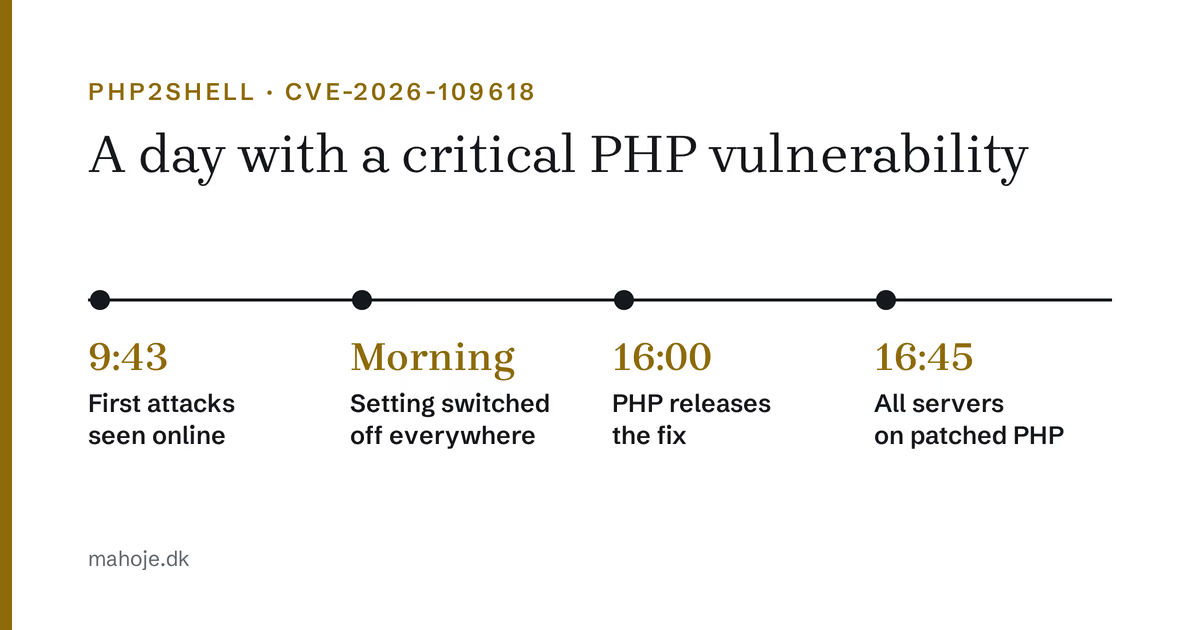
The holes were found by security researchers from Calif and Wiz Research and reported to PHP in August. The plan was to publish the fix and the details at the same time, but the details leaked the day before, and Cloudflare saw the first attacks at 9:43 Danish time in the morning, several hours before the fix was out.
How my day went
Morning: find out where PHP runs
Before you can close a hole, you need to know where it is. My clients' websites live in several places: some on my own servers in Docker, others with ordinary hosting companies such as Hostinger, Simply, Nordicway and SiteGround.
The first job was therefore a list of every single place PHP runs, and which version. On my own servers that came to 23 containers with PHP 8.2, 8.3 and 8.4. The rest were with the hosting companies.
Late morning: shut the door while we wait
The fix only arrived at 16:00 Danish time. Until then, there was one setting that closes the confirmed way in:
session.upload_progress.enabled = OffIt switches off the feature that reports how far an upload has got. Ordinary websites almost never use it, so switching it off costs nothing.
I set it everywhere I had access, and checked every website before and after: does the front page still respond, and is the setting actually Off. The last part turned out to matter, because the hosting companies behave differently:
- Hostinger and Nordicway (LiteSpeed): a
.user.inifile did not work. A line in.htaccessdid. - Simply:
.user.iniworked straight away, and Simply also switched the feature off across its whole platform the same morning. - SiteGround already had the feature switched off by default.
- My own servers: an extra configuration file in each container. It disappears if the container is rebuilt, so I had a script ready to set it again.
The same day I wrote to my clients. Those I look after were told it had been handled. Clients with websites elsewhere were told what to ask their developer or hosting company for.
16:00: the fix is out, but not everywhere
PHP released the fixed versions 8.2.35, 8.3.36, 8.4.27 and 8.5.12 at 16:00 Danish time. But the official Docker images my servers build on were not ready yet.
Instead of waiting, I built my own images from the official recipes with the new PHP version and verified source code. By about 16:45 all 23 containers were running the fixed version, and I checked the version inside each container and that the websites responded as before.
When the official images arrived later that evening, I switched back to them, so the servers do not run on something home-built in the long run.
What caught me out
A few things worth knowing if you are dealing with this yourself:
- The order of configuration files matters. PHP reads the files in alphabetical order, and the last one wins. My first file lost to another file with a name further down the alphabet.
- Keep an eye on the upload limit. PHP also recommends setting
post_max_sizelow (8 MB without file uploads, 32 MB with) while you wait. That makes the attack harder. - The hosting companies are not equally fast. Some had patched by the evening, others were still on the old version the next day. Check for yourself instead of assuming.
What should you do?
If you have a website on WordPress or another PHP system, do this:
- Find your PHP version. In WordPress it is under Tools → Site Health → Info → Server. Otherwise your hosting company can tell you.
- Check whether it is fixed. You need 8.2.35, 8.3.36, 8.4.27 or 8.5.12 or newer. If you run 8.1 or older, there is no fix, and you need to upgrade PHP. That may also require updating plugins and the theme.
- Ask your hosting company if the version is not fixed. On shared hosting, they update PHP, not you.
- Watch for signs of a break-in. The vulnerability was exploited before the fix came out. New administrator users, unknown files or strange redirects are signs that something is wrong. My guide to what to do if your WordPress is hacked goes through what to look for.