PHP2Shell: how to check and secure your server
PHP2Shell is the name for two critical flaws in PHP, CVE-2026-109618 and CVE-2026-109619, which were fixed on 21 October 2026. They let an attacker run their own code on the server without logging in, and they affect almost every website running PHP, WordPress included.
I have already written about how my day with PHP2Shell went, and about the bigger picture with all the security holes. This is the practical walkthrough: what is affected, how to check, what to do, and what to look out for afterwards.
PHP2Shell facts
| Item | Facts |
|---|---|
| CVE numbers | CVE-2026-109618 and CVE-2026-109619 |
| Severity | CVSS 9.2 (critical) for both |
| Type | Use-after-free in the PHP engine, can lead to remote code execution without login |
| Affected | PHP in its default configuration, both Apache mod_php and PHP-FPM. The code dates back to PHP 5.4 (2012) |
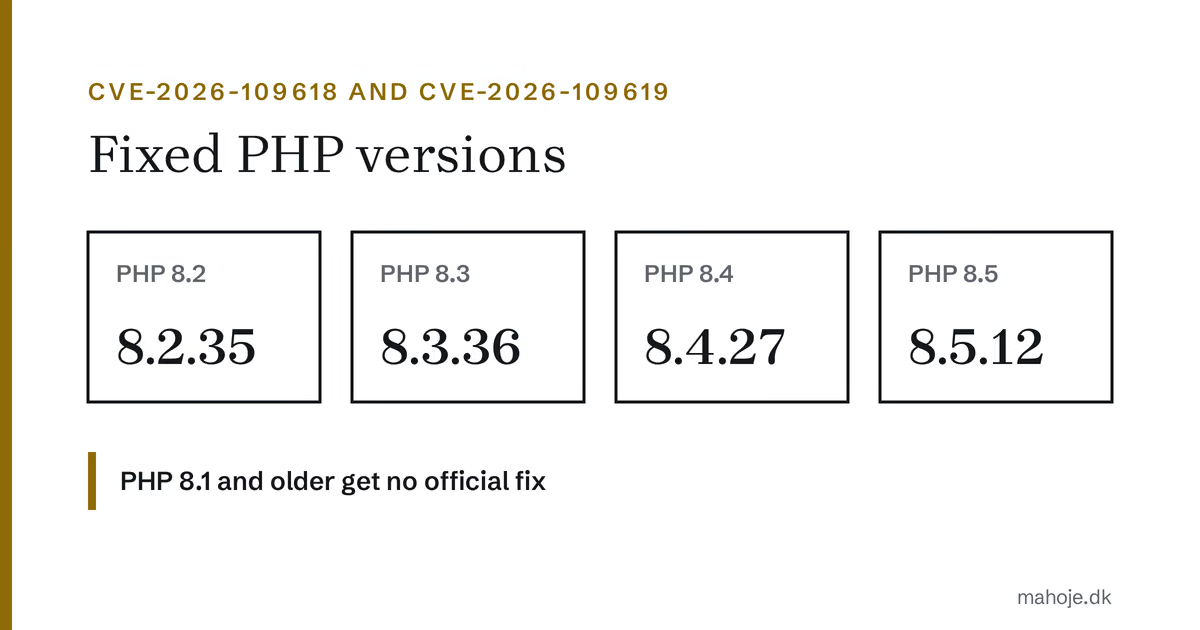
| Fixed in | PHP 8.2.35, 8.3.36, 8.4.27 and 8.5.12 |
| No official fix | PHP 8.1 and older |
| Released | 21 October 2026 around 14:00 UTC |
| Found by | Calif, Wiz Research and OpenAI |
What are the flaws?
Both flaws are of the "use-after-free" type: PHP ends up using a piece of memory that has already been freed. An attacker can use that to read data that should not be visible, and ultimately to run their own code.
- CVE-2026-109618 is in the feature that tracks how far a file upload has got (session upload progress). A specially crafted form request with a file can make PHP leak memory and run code. The feature is on by default.
- CVE-2026-109619 is in the way PHP builds an error report (backtrace) when a fatal error occurs. It can lead to the same result by a different route.
The researchers demonstrated remote code execution without login against WordPress, Drupal, Joomla, Magento, MediaWiki, Roundcube, phpMyAdmin, Nextcloud, Laravel, Symfony and WHMCS, among others. So it is not one particular system that is vulnerable. It is the PHP underneath them.
One important point: upload progress is handled by PHP while the request is being read in, before your website's own code even starts. That is why a firewall running as a WordPress plugin cannot stop the first flaw.
Timeline
- 1 August 2026: Calif finds the first flaw and reports it to PHP on 11 August. PHP confirms on 15 August.
- 21 and 24 August: the second flaw is reported, by Calif and Wiz Research.
- 20 October: the details leak before the fix is ready. PHP brings the release forward.
- 21 October, 07:43 UTC: Cloudflare sees the first attacks.
- 21 October, around 14:00 UTC: PHP releases the fixed versions. Docker images and hosting companies' packages follow during the evening and the following days.
Sources disagree on how much the flaws are being exploited. Amazon writes that they are being broadly exploited, while PHP's security team had not seen working attack code when the fix came out. Patchstack saw mostly probing and no confirmed break-ins on the afternoon of the 21st. Assume someone will try to attack you.
How to check whether you are affected
1. Find the PHP version your website uses
It is the version on the web server that counts, and it can differ from the one you see on the command line. I have seen servers where php -v showed 7.4 while the website ran 8.3.
- WordPress: Tools → Site Health → Info → Server → PHP version.
- The hosting panel (cPanel, hPanel, Plesk and similar) shows the version under PHP settings, often per domain.
- Your own server: put a temporary file, for example
version-check.php, in the web root containing<?php echo PHP_VERSION;, open it in the browser, and delete it again straight away. - Docker:
docker exec <container> php -vshows the version in the container, which is the same as the web server's.
2. Compare with the fixed versions
| Your version | Status |
|---|---|
| 8.5.12 or newer | Fixed |
| 8.4.27 or newer in 8.4 | Fixed |
| 8.3.36 or newer in 8.3 | Fixed |
| 8.2.35 or newer in 8.2 | Fixed |
| Older version in 8.2 to 8.5 | Vulnerable, update |
| 8.1 or older | Vulnerable, no official fix |
Some Linux distributions and hosting companies fix the flaw in their own packages without changing the version number in the same way. If you see a different number, look up your vendor's security notice.
How to fix it
On shared hosting
Here the hosting company updates PHP, not you. Check the version as described above, and write to them if it is not fixed. If you can choose the PHP version in the panel yourself, switch to a newer major version if your current one is not fixed yet. Check afterwards that the site works.
The hosting companies have not been equally fast. Some had fixed it by the evening of the 21st, others were still on a vulnerable version the day after.
On your own server or VPS
- Install the fixed PHP package from your distribution or the package source you use.
- Restart PHP afterwards: PHP-FPM (for example
systemctl restart php8.3-fpm) or Apache if you use mod_php. Running PHP processes use the old code until they are restarted. - Check the version again through the web server, not only on the command line.
In Docker
Pull the fixed image, then rebuild and restart the containers. The official php and wordpress images were updated on the evening of 21 October. If you build your own images, remember to fetch the new base image (docker build --pull). Check afterwards with docker exec <container> php -v.
PHP 8.1 and older
PHP does not release a fix for 8.1 and older. There are source fixes for 7.4, 8.0 and 8.1, and some vendors with extended support build them into their packages. The lasting solution is to upgrade to a supported PHP version. That may require updating plugins and the theme as well, so test on a copy first.
Temporary mitigation if you cannot update straight away
Until PHP is updated, you can close the confirmed way in by switching off upload progress:
session.upload_progress.enabled = OffPHP also recommends setting post_max_size low while you wait: 8 MB on sites without file uploads and 32 MB on sites with. That makes the attack harder. Almost no ordinary websites use upload progress, so switching it off normally costs nothing.
It is not a fix. It closes the known way in for one of the flaws, not the flaw itself. Still update PHP.
Where the setting goes
It depends on how PHP runs, and this is where things went wrong in several places for me:
- php.ini or a file in conf.d (your own server and Docker): PHP reads the files in conf.d in alphabetical order, and the last one wins. Give your file a name that comes last, for example
zzz-php2shell.ini, or another file may override it. .user.iniin the web root works with PHP-FPM and CGI. At Simply it worked straight away, but at Hostinger and Nordicway it did not. PHP rereads the file every few minutes, so a change does not always take effect immediately..htaccesswith the linephp_flag session.upload_progress.enabled offworks with Apache mod_php and at some LiteSpeed hosting companies. At Hostinger and Nordicway it was the one that worked, while Simply ignored it. With Apache and PHP-FPM it can give a 500 error on the whole site, so check the front page right afterwards.
Check that it works
Again, put a temporary file in the web root:
<?php echo ini_get('session.upload_progress.enabled') ? 'On' : 'Off';Open it in the browser. If it says Off, the mitigation works. Delete the file afterwards.
A firewall is only a stopgap
Cloudflare and others have added rules against the attack. That is a good extra safeguard, but two things are worth knowing:
- The rules only help if the server only accepts traffic through Cloudflare. If an attacker can hit the server's IP address directly, there is no protection.
- A firewall in a WordPress plugin starts too late to stop the first flaw, as described above.
Traces of attacks to look for
The flaw was exploited before the fix came out, so updating is not enough. Also look for signs that someone got in during the period before. The security firms point to:
- Many POST requests with files, followed by repeated 500 errors in the access log.
- PHP processes crashing or restarting for no reason.
- Unusually large
PHPSESSIDcookies in the requests. - New or changed PHP files in folders that normally contain no code, such as uploads.
- New users with administrator access, new scheduled tasks (cron) or unknown redirects.
If you find such traces, treat the server as compromised: change every password and key the server knows (database, wp-config.php, API keys and email), restore from a backup taken before the attack, and update before the site goes back online. My guide to what to do if your WordPress is hacked goes through it step by step.
Frequently asked questions
Is my WordPress safe when WordPress and plugins are updated? No, not against PHP2Shell. The flaw is in PHP, not in WordPress. It is the PHP version that has to be fixed.
Does a security plugin like Wordfence help? Not against the first flaw, because PHP handles upload progress before the plugin starts. The plugin is still useful for detecting changed files and new users afterwards.
I have no web shop or file upload. Am I affected? Yes, probably. The flaw works in PHP's default configuration and does not require your site to have an upload form.
I have switched off session.upload_progress. Am I done?
No. It only closes the known way in for one of the two flaws. Update PHP.
What about PHP 7.4 or 8.0? They have been without official support for years and get no official fix. Ask your hosting company whether they have built the fix in, and plan an upgrade.