Contact form guide: fields, plugins and spam filters
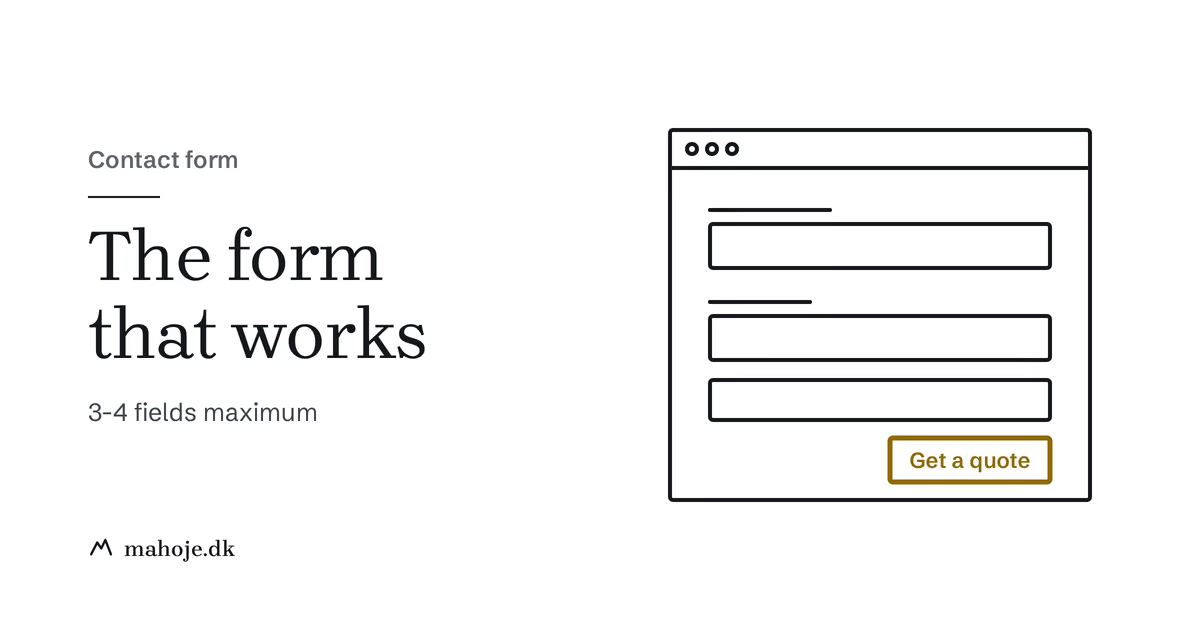
A good contact form has three fields (name, email and message), a button that says what happens when you press it, a spam filter that does not bother real visitors, and a clear confirmation afterwards. Also check that the email actually reaches you, because that is the most common failure.
The rest of this guide goes through the fields, the design, the placement, plugins and spam filters, and ends with a checklist.
Why every business site needs a contact form
A contact form is the last step before a visitor becomes an enquiry. If it is too long, buried, or the email never arrives, you lose enquiries from people who actually wanted to contact you. I cannot back up a fixed number for how much a shorter form helps, so do not take figures from other sites at face value. Test it yourself: remove one field at a time and see whether the number of enquiries changes.
A form also beats a published email address:
- Lower friction: Visitors do not need to open their email client.
- Structured information: You control what data you collect.
- Less spam: A published email address gets harvested by bots, and a form with protection filters out junk.
- Tracking: You can track submissions as conversions, which you cannot do with emails sent to your address.
Essential fields vs. nice-to-have
Every field you add is one more reason to give up. Be strict about what you include:
| Field | Essential? | Why |
|---|---|---|
| Name | Yes | You need to know who you are talking to |
| Yes | How you reply | |
| Message | Yes | What they want |
| Phone | Optional | Some people prefer a call, but do not force it |
| Company | Optional | Useful for B2B, unnecessary for B2C |
| Subject/dropdown | Optional | Helps route enquiries, but adds friction |
| Budget | Rarely | Can scare off early-stage leads |
| File upload | Rarely | Only if you regularly need attachments |
The rule of thumb: three to four fields for most business sites. Name, email and message is the sweet spot. You can always ask for more in your reply.
Design and UX
- One field per line (avoid side-by-side fields on mobile)
- Clear labels above each field, not just placeholders
- Big enough touch targets. WCAG 2.2 requires at least 24 by 24 px, and 44 px is a good rule of thumb on mobile (source: w3.org, WCAG 2.2 success criterion 2.5.8, read 22 Nov 2026)
- A button with good contrast
Use descriptive button text. "Send your enquiry" tells people more than "Submit".
After submission, show a clear confirmation that thanks the visitor, says when to expect a reply and, if it fits, suggests a next step.
Add a short line about what the details are used for, with a link to your privacy policy next to the button. Store only what you need, and delete old enquiries when they are no longer needed.
Placement
- On the contact page: the form as the main focus, with phone and email as alternatives and the expected response time.
- In the footer: a short version with just email and message.
- As a call to action in blog posts: end with a link to your contact page.
Best WordPress contact form plugins
Active installations are from wordpress.org, read 22 Nov 2026, and prices are from the providers' own pages the same day.
Contact Form 7
The most widely used free plugin, with over 10 million active installations. Simple and light, but with no visual builder, so it takes a bit more technical knowledge to style.
WPForms
A beginner-friendly plugin with a drag-and-drop builder and templates, with over 5 million active installations of the free Lite version. The paid version adds more features such as payments and integrations. Check the price with the provider, because the plans change.
Gravity Forms
A powerful plugin for complex forms, calculations, payments and advanced flows. There is no free version. The Basic license costs 59 dollars a year, and Pro and Elite cost more (source: gravityforms.com, read 22 Nov 2026).
Bit Form
A newer form plugin with a drag-and-drop builder, conditional logic and multi-step forms. It has only about 10,000 active installations, so there is less experience to lean on than with the big ones. Try it on a test site first if you are considering it.
Fluent Forms
An alternative with a free version and a paid Pro. It has about 800,000 active installations (source: wordpress.org, read 22 Nov 2026).
Whichever plugin you choose, keep it updated. A form that stops working after an update is something you only find out by testing.
Spam protection
Spam is a real problem for contact forms. These are the most used options:
- Honeypot fields: hidden fields that only bots fill in. Invisible to users, and most form plugins include it.
- Cloudflare Turnstile: verifies visitors without visible challenges. It is free on Cloudflare's Free plan with up to 20 widgets (source: developers.cloudflare.com, read 22 Nov 2026).
- Google reCAPTCHA v3: runs invisibly and gives each visitor a score. It loads a Google script, so mention it in your cookie and privacy text.
- Akismet: a spam filter from Automattic that you connect to the form. Check the provider's terms for business use.
When the email does not arrive
The most common problem is not the design, but that the message never reaches your inbox. A web server is not a trusted sender, so email from wordpress@yourdomain.com often ends up in spam. Send the form's email through SMTP via a real mail service, and make sure SPF and DKIM are set up on your domain. Send a test message once a month, or you will not notice if the form has broken.
If the form does not work, read my guide to fixing a WordPress contact form that is not working.
Typical mistakes
- Too many fields: keep it to three to five
- No confirmation: the visitor does not know if the message was sent
- Does not work on mobile: always test on a phone
- No email notification: make sure you are told when a form is submitted
- Slow loading: heavy plugins slow the page down
- Buried: contact options should be reachable from every page
Checklist
- At most 3-5 fields
- Button text that says what happens
- A clear confirmation message
- Works on mobile
- Spam protection enabled
- Email notification set up and tested
- Link to the privacy policy next to the button
- Reachable from every page (header or footer)
- Loads fast
Sources
Read 22 November 2026:
- W3C: WCAG 2.2, success criterion 2.5.8 Target Size (Minimum): w3.org
- Gravity Forms: Pricing: gravityforms.com
- Cloudflare: Turnstile plans: developers.cloudflare.com
- WordPress.org: plugin pages for Contact Form 7, WPForms Lite, Bit Form and Fluent Forms: wordpress.org